
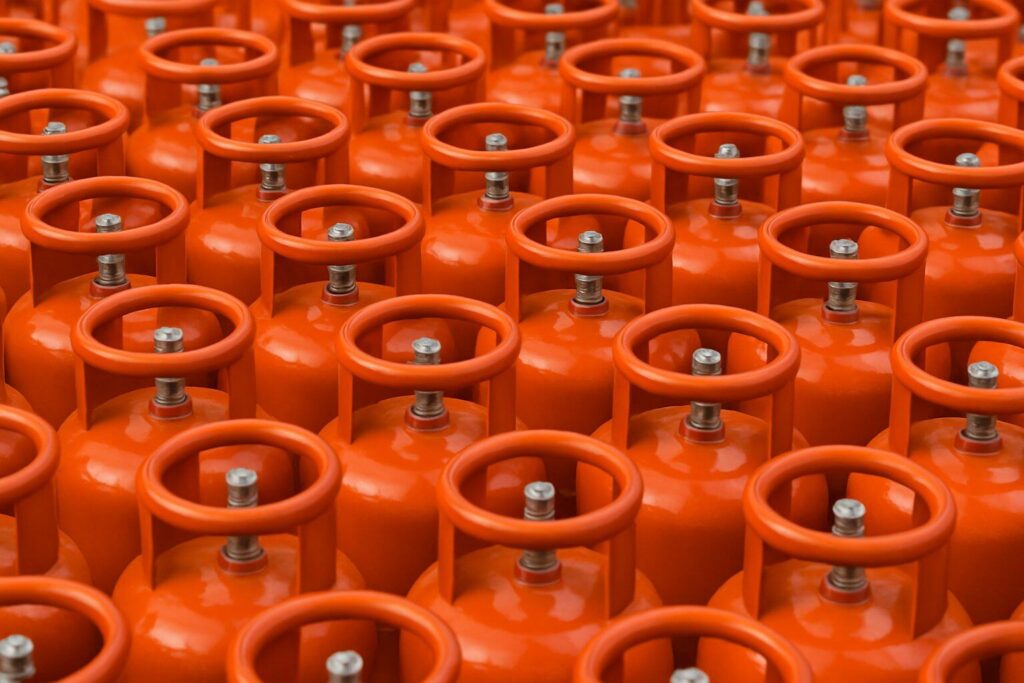
Did you know that getting successfully done with your Bharat Gas online booking has been easier than ever? Whether you are moving to a new home or applying for a new LPG cylinder, the process is simple. Bharat Gas booking offers both online and offline application options, so you can choose what suits you best. With a few basic documents and clear steps to follow, you can complete your request quickly and start using your LPG cylinder without delay. Here, we will tell you how you can apply for a new Bharat Gas connection and what steps you need to go through. Let’s take a look below!
Also Read: Different Types Of LPG Cylinders In India And LPG Gas Price
How to Apply for Bharat Gas Booking Online
To get done with Bharat Gas online booking, you need to follow a few steps. You can easily start the process online:
1. Visit www.ebharatgas.com and click on ‘Book Now’.
2. Enter your login ID, password, and the captcha shown on the screen.
3. If your mobile number is not registered, download the update form and submit your details.
4. After entering the correct information, you will get an SMS on your registered phone with your login details.
5. Use these details to sign in to your account on the website.
6. Go to the My LPG section to book a cylinder, register your account, or apply for an LPG subsidy.
7. Fill in your preferred delivery date and time.
8. Submit the request, and you will receive a confirmation message for your booking.
Also Read: How To Get A New Gas Connection: Online And Offline Modes
How to Register for Bharat Gas via SMS
Remember that the Bharatgas SMS booking service is available only for Bharatgas customers. Here are the steps you have to follow:
1. If you are using it for the first time, contact your LPG distributor and register your mobile number.
2. Fill out the required form, available at any Bharatgas distributor office or online.
3. After your mobile number is updated, type LPG and send it to 7715012345 or 7718012345.
Once your SMS is sent, you will receive updates at every stage — when your booking is accepted, when the cash memo is created, and when the cylinder is delivered.
Also Read: What Is Mojo Mover? Learn About This House Shifting Service!
How to Apply for Bharat Gas via WhatsApp?
Here are the steps you should follow to get a new Bharat Gas connection:
1. Save the BPCL Smartline number – 1800224344 – in your phone’s contacts.
2. Open WhatsApp and send a message saying “Hi” or “Book” to this number.
3. You will receive instructions on your screen. Follow the steps shown to complete your gas cylinder booking.
4. After your booking is confirmed, you will get an SMS with your booking reference number.
How to Use Bharat Gas Booking App for a New Connection
To get done with Bharat Gas booking, you need to follow a few simple steps:
1. Save the BPCL Smartline number – 1800224344 – in your phone’s contacts.
2. Open WhatsApp and send a message saying “Hi” or “Book” to this number.
3. You will receive instructions on your screen. Follow the steps shown to complete your gas cylinder booking.
4. After your booking is confirmed, you will get an SMS with your booking reference number.
Also Read: AMC for Water Purifier: Pros & Cons Explained
Can I Get a New Bharat Gas Connection Offline?
Yes, you can apply for a new Bharat Gas connection offline. The process is simple and can be done at your nearest Bharat Gas distributor office. You need to follow the steps below to complete the application.
1. Visit the nearest Bharat Gas distributor office in your area.
2. Ask for the New Gas Connection Application Form.
3. Fill in your name, address, and contact details correctly in the form.
4. Submit the required documents, such as ID proof and address proof.
5. Pay the applicable fees for the new connection as informed by the distributor.
6. Once your application is approved, you will receive the regulator, cylinder, and safety guide.
7. The distributor will schedule a delivery or installation visit if needed.
You now know that a Bharat Gas connection is easy online and offline. When you choose Bharat Gas booking or visit the distributor’s office, the process is quick and simple. You can manage Bharat Gas refill through the website or app; moreover, you can track the status of your application on the website.
Also Read: How To Apply For Indane Gas Connection Online & Offline
Frequently Asked Questions
1. Can I apply for Bharat Gas online?
Yes, you can easily apply for a Bharat Gas connection online through the official Bharat Gas website or app. The online process is simple and requires basic details, document uploads, and payment. Once the application is submitted, the distributor will verify your information and arrange the connection. This method is faster and more convenient than visiting the office.
2. How many documents are required for a Bharat Gas connection?
To get a Bharat Gas connection, you generally need two main documents: a valid ID proof and an address proof. Accepted proofs include Aadhaar, PAN, voter ID, passport, or driving licence. In some cases, the distributor may ask for an additional photo or supporting document. The process is easy, and your documents help verify your identity and delivery address.
3. What is the subsidy for a 14.2 kg cylinder?
The subsidy for a 14.2 kg LPG cylinder under a Bharat Gas connection varies based on government rules and state-wise rates. The subsidy amount is usually transferred directly to your bank account linked with Aadhaar. Since the rates change from time to time, customers should check the latest subsidy details on the Bharat Gas portal or contact their distributor.
4. Is Bharat Gas KYC mandatory?
Yes, completing KYC is mandatory for every Bharat Gas connection. KYC ensures that your identity, address, and documents are verified correctly. It also helps prevent duplicate or fake LPG connections. You can submit your KYC online or at the distributor’s office. Without KYC, your new connection request or subsidy benefits may get delayed or paused.
5. Is the Aadhaar card mandatory for an LPG connection?
An Aadhaar card is not mandatory for getting a Bharat Gas connection, but it is strongly recommended. Linking Aadhaar helps you receive LPG subsidy directly into your bank account under the DBTL scheme. If you do not have Aadhaar, you can still apply using other valid ID and address proofs.